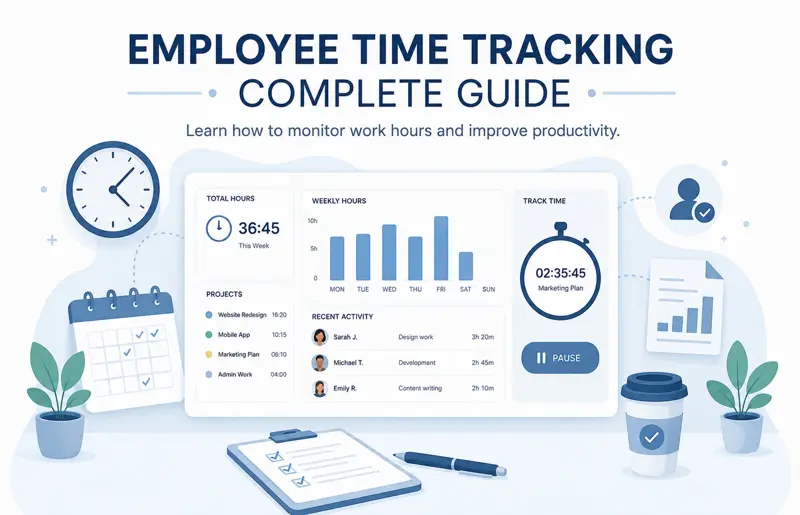
Employee Time Tracking: The Complete Guide to Tracking Work Hours, Productivity, and Project Time
Time is one of the most valuable resources in every organization. Unlike money, equipment, or inventory, lost time cannot be recovered. For this reason, successful companies carefully monitor how working hours are spent, how much time projects require, and whether employee effort is being used efficiently. This process is known as employee time tracking.
Modern time tracking is no longer limited to recording when employees arrive at work and when they leave. Today's organizations use time tracking software to measure project effort, improve productivity, allocate resources, forecast future workloads, simplify payroll, and gain valuable insights into how work is performed.
Whether your business has five employees or five thousand, understanding where time is spent helps managers make better decisions, identify inefficiencies, reduce unnecessary costs, and deliver projects more accurately.
Many companies still rely on spreadsheets or manual timesheets. While these methods may work for very small teams, they become increasingly difficult to manage as projects grow, employees work remotely, and multiple departments share resources.
Modern employee time tracking software automates much of this work. Employees can record time with a single click, managers receive real-time reports, and project costs become visible throughout the project lifecycle.
This comprehensive guide explains everything you need to know about employee time tracking, including timesheets, project tracking, productivity analysis, billing, reporting, best practices, and how modern software improves workforce management.
What Is Employee Time Tracking?
Employee time tracking is the process of recording how employees spend their working hours.
Instead of simply measuring attendance, organizations track the amount of time spent on projects, individual tasks, meetings, customer support, training, administrative work, and other business activities.
The primary goal is to understand where time is invested so managers can make better planning and resource allocation decisions.
Why Time Tracking Is Important
Without accurate time tracking, organizations often underestimate project costs, overload employees, and struggle to understand why deadlines are missed.
Recording work hours provides reliable data that supports better planning, forecasting, budgeting, and performance analysis.
Organizations that implement time tracking typically experience:
- More accurate project estimates.
- Improved employee productivity.
- Better workload balancing.
- Reduced overtime.
- Improved project profitability.
- More accurate payroll calculations.
- Better customer billing.
- Improved project forecasting.
Different Types of Time Tracking
Different organizations require different approaches depending on their industry, workforce, and business objectives.
| Tracking Type | Typical Use |
|---|---|
| Attendance Tracking | Working hours and presence. |
| Project Time Tracking | Hours spent on projects. |
| Task Time Tracking | Individual task duration. |
| Billable Time | Customer invoicing. |
| Non-Billable Time | Administration and meetings. |
| Remote Work Tracking | Distributed teams. |
Most organizations combine several tracking methods to gain a complete picture of employee activity.
Attendance Tracking vs Project Time Tracking
Attendance tracking records when employees start and finish work, while project time tracking measures how much time is spent completing specific activities.
For example, an employee may work eight hours in one day, but those hours may be divided among customer meetings, software development, internal training, documentation, and project planning.
Understanding this distribution provides far more useful management information than attendance records alone.
Billable and Non-Billable Hours
Organizations providing professional services often distinguish between billable and non-billable work.
Billable hours represent work that can be charged directly to customers, while non-billable hours include internal meetings, administration, marketing, training, recruitment, and business development.
Tracking both categories helps organizations evaluate profitability and improve resource planning.
| Activity | Category |
|---|---|
| Client Development | Billable |
| Internal Meeting | Non-Billable |
| Employee Training | Non-Billable |
| Customer Support | Usually Billable |
| Marketing Campaign | Non-Billable |
Timesheets
Timesheets are structured records used to capture employee working hours.
Modern digital timesheets are much more than simple weekly hour reports. They can include project assignments, task descriptions, overtime, leave, billable hours, approvals, and comments.
Managers use timesheets to analyze productivity, monitor project costs, approve payroll, and evaluate resource utilization.
Manual vs Automatic Time Tracking
Organizations can collect time data manually or automatically.
Manual tracking allows employees to enter hours at the end of the day or week. Automatic tracking records time while employees actively work on projects or tasks.
| Method | Advantages | Limitations |
|---|---|---|
| Manual Entry | Simple and flexible. | May contain errors. |
| Automatic Timer | Highly accurate. | Requires user discipline. |
| Hybrid Approach | Combines flexibility and accuracy. | Most commonly used. |
Project Time Tracking Example
Imagine a software company developing a mobile application. Developers, testers, designers, and project managers all record the hours spent on their assigned tasks.
By comparing estimated hours with actual hours, managers quickly identify activities that consistently require more effort than originally planned. This information improves future project estimates while helping control budgets and delivery schedules.
If your organization also manages projects, continue with our guide Project Management: The Complete Guide .
You may also find Task Management: The Complete Guide helpful for organizing the work that employees track each day.
Time Tracking KPIs
Recording working hours is only the beginning. The real value comes from analyzing time tracking data through meaningful performance indicators. These metrics help managers understand productivity, identify inefficiencies, and improve future planning.
Common time tracking KPIs include:
| KPI | Description |
|---|---|
| Total Hours Worked | Total recorded working hours. |
| Billable Hours | Hours that can be invoiced to customers. |
| Non-Billable Hours | Administrative and internal work. |
| Overtime Hours | Hours exceeding scheduled work time. |
| Project Hours | Time spent on specific projects. |
| Task Completion Time | Average time required to complete tasks. |
Tracking these indicators over time allows organizations to improve estimating, planning, and workforce utilization.
Productivity Analysis
Time tracking should never be used simply to count hours. Instead, managers should analyze how time contributes to meaningful business outcomes.
Questions worth asking include:
- Which projects consume the most time?
- Which recurring tasks could be automated?
- Which departments consistently require overtime?
- Which employees have available capacity?
- How much time is spent in meetings?
- Where are project delays occurring?
Answering these questions helps organizations improve processes instead of placing unnecessary pressure on employees.
Time Tracking Reports
Modern software automatically generates reports that summarize employee, department, project, and organizational performance.
Popular reports include:
- Daily timesheets.
- Weekly summaries.
- Monthly productivity reports.
- Project time reports.
- Billable hour reports.
- Department workload reports.
- Overtime reports.
- Employee utilization reports.
These reports help managers identify trends that may not be obvious from daily activities alone.
Managing Overtime
Occasional overtime may be unavoidable during important deadlines, but continuous overtime usually indicates planning problems rather than employee commitment.
Managers should investigate:
- Unrealistic schedules.
- Staff shortages.
- Poor task prioritization.
- Unexpected customer requests.
- Inefficient processes.
Reducing unnecessary overtime improves employee wellbeing while lowering labor costs.
Payroll Integration
Many organizations integrate their time tracking system with payroll software. Approved timesheets automatically calculate regular hours, overtime, paid leave, and other payroll information.
This integration reduces manual data entry while improving payroll accuracy.
Time Tracking for Remote Teams
Remote and hybrid work have increased the importance of accurate time tracking. Managers often cannot observe daily activities directly, making visibility into project work more important than ever.
Modern cloud-based systems allow employees to:
- Record time from any location.
- Log work against projects.
- Submit digital timesheets.
- Attach comments.
- Track billable work.
- Review personal reports.
Managers receive the same reporting capabilities regardless of where employees are working.
Time Tracking for Different Industries
Software Development
Development teams record time against user stories, bugs, testing activities, code reviews, and releases. Historical data improves sprint planning and future project estimates.
Construction
Construction companies track labor hours by project, site, contractor, and work activity. Accurate records improve cost control and simplify customer billing.
Marketing Agencies
Creative teams monitor time spent writing content, designing graphics, managing social media campaigns, performing SEO work, and meeting with clients. Billable hours can then be linked directly to customer invoices.
Consulting Businesses
Consultants often bill customers based on time spent providing professional services. Accurate timesheets ensure invoices reflect the actual effort invested in each engagement.
Improve Project Estimation
Historical time tracking data is one of the best sources for improving future project estimates.
Instead of relying on assumptions, managers compare estimated hours with actual recorded effort from previous projects.
This allows future schedules to become progressively more accurate while reducing budget overruns and missed deadlines.
Using Automation
Modern time tracking platforms automate many repetitive administrative tasks. Automatic reminders encourage employees to complete missing timesheets, while workflows route submitted records for approval without manual follow-up.
Some systems also provide intelligent suggestions based on calendar events, assigned tasks, or recent project activity, making it easier for employees to record their time accurately.
Connecting Time Tracking With Project Management
Time tracking delivers the greatest value when integrated with project management, task management, resource planning, workload management, and employee scheduling.
Instead of recording hours separately from project work, organizations benefit from a unified platform where every hour is linked directly to a task, project, or customer.
If you're planning project schedules, read Gantt Chart: The Complete Guide .
To better balance employee capacity, continue with Workload Management: The Complete Guide .
You may also benefit from Resource Management: The Complete Guide , which explains how time data supports better resource planning and utilization.
Employee Time Tracking Best Practices
Successful time tracking is built on consistency, transparency, and simplicity. The goal is not to monitor employees every minute of the day but to collect accurate information that improves planning, project delivery, and business decision-making.
Organizations that implement clear time tracking policies experience more accurate project estimates, improved productivity, and better communication between managers and employees.
- Track time daily instead of weekly.
- Record time against specific projects and tasks.
- Use standardized activity categories.
- Review timesheets regularly.
- Automate reminders for missing entries.
- Monitor overtime trends.
- Analyze reports monthly.
- Compare estimated and actual hours.
- Keep the tracking process simple.
- Explain why time tracking benefits employees.
- Use historical data for future planning.
- Continuously improve reporting.
Common Time Tracking Mistakes
Even with modern software, organizations often make mistakes that reduce the accuracy and usefulness of time tracking data.
- Recording time only at the end of the week.
- Tracking attendance instead of actual work.
- Using inconsistent project names.
- Ignoring non-billable work.
- Failing to review submitted timesheets.
- Not updating completed tasks.
- Overlooking overtime trends.
- Collecting data without analyzing reports.
- Making time tracking overly complicated.
- Using multiple disconnected systems.
Avoiding these common mistakes helps organizations build reliable historical data that supports better project planning and business forecasting.
Benefits of Modern Time Tracking Software
Modern cloud-based time tracking platforms provide much more than digital timesheets. They connect employee work with projects, tasks, resources, customers, and financial reporting.
Common capabilities include:
- One-click start and stop timers.
- Digital timesheets.
- Project and task tracking.
- Billable and non-billable hour tracking.
- Approval workflows.
- Overtime monitoring.
- Leave integration.
- Payroll export.
- Productivity dashboards.
- Real-time reporting.
By centralizing all time-related information, organizations reduce manual work and gain immediate visibility into employee activity and project progress.
Real-World Example: IT Company
An IT company develops software for multiple clients simultaneously. Every developer records time against user stories, bug fixes, testing activities, and documentation.
Project managers compare planned hours with actual recorded effort every week. When a feature consistently requires more time than estimated, future projects are planned using more realistic estimates, resulting in fewer missed deadlines.
Real-World Example: Consulting Firm
A consulting company bills customers based on hourly rates. Consultants record their time by customer, project, and service category.
At the end of each month, approved timesheets are used to generate invoices, while management reports identify the most profitable customers and projects.
Real-World Example: Marketing Agency
A digital marketing agency tracks time spent on SEO optimization, content writing, graphic design, paid advertising, email campaigns, and client meetings.
Managers review project profitability by comparing recorded hours with project budgets. If certain activities regularly exceed estimates, future proposals can be priced more accurately.
Employee Time Tracking Checklist
- Define time tracking policies.
- Create project categories.
- Create task categories.
- Assign employees to projects.
- Enable daily time entry.
- Review missing timesheets.
- Approve submitted hours.
- Track overtime.
- Separate billable and non-billable work.
- Generate weekly reports.
- Analyze project costs.
- Review productivity trends.
- Compare estimates with actual hours.
- Monitor employee workload.
- Integrate payroll.
- Maintain historical records.
- Use reports for project forecasting.
- Continuously improve processes.
Frequently Asked Questions
What is employee time tracking?
Employee time tracking is the process of recording how employees spend their working hours across projects, tasks, meetings, and other business activities.
Why is time tracking important?
Time tracking improves project planning, productivity, payroll accuracy, customer billing, budgeting, and resource management.
What is the difference between attendance tracking and time tracking?
Attendance tracking records when employees start and finish work, while time tracking records how working hours are actually spent.
What are timesheets?
Timesheets are records of employee working hours that are usually organized by project, task, customer, or activity.
Can time tracking improve project estimates?
Yes. Historical time data provides accurate information for estimating future projects, reducing scheduling errors and budget overruns.
Should remote employees track their time?
Yes. Cloud-based time tracking systems provide consistent reporting regardless of where employees are working.
How often should employees submit timesheets?
Most organizations encourage daily entries and weekly approval to maintain accurate project data.
Can time tracking integrate with payroll?
Yes. Many systems automatically calculate regular hours, overtime, leave, and other payroll information from approved timesheets.
Related Articles
- Project Management: The Complete Guide
- Task Management: The Complete Guide
- Gantt Chart: The Complete Guide
- Workload Management: The Complete Guide
- Resource Management: The Complete Guide
- Project Planning Step by Step
- How to Track Project Progress Effectively
- How to Reduce Project Delays
- Employee Scheduling: The Complete Guide
- Time Management: The Complete Guide
Final Thoughts
Employee time tracking is much more than recording working hours. When implemented correctly, it becomes a strategic management tool that helps organizations improve project planning, optimize resource allocation, increase productivity, and make better business decisions.
By combining accurate time tracking with project management, workload planning, resource management, and reporting, businesses gain complete visibility into how time is invested across the organization. This transparency supports more accurate forecasting, better budgeting, and higher-quality project delivery.
MyPlannerDesk combines Employee Time Tracking, Digital Timesheets, Project Management, Task Management, Gantt Charts, Kanban Boards, Workload Management, Resource Planning, Employee Scheduling, Leave Management, and Reporting into a single integrated platform. Employees can record time directly against projects and tasks, while managers monitor progress, approve timesheets, analyze productivity, and generate detailed reports from one centralized dashboard.
Whether your organization manages internal projects, customer engagements, or large cross-functional teams, implementing an effective employee time tracking system will help improve efficiency, reduce administrative work, increase project profitability, and provide the reliable data needed to support long-term business growth.