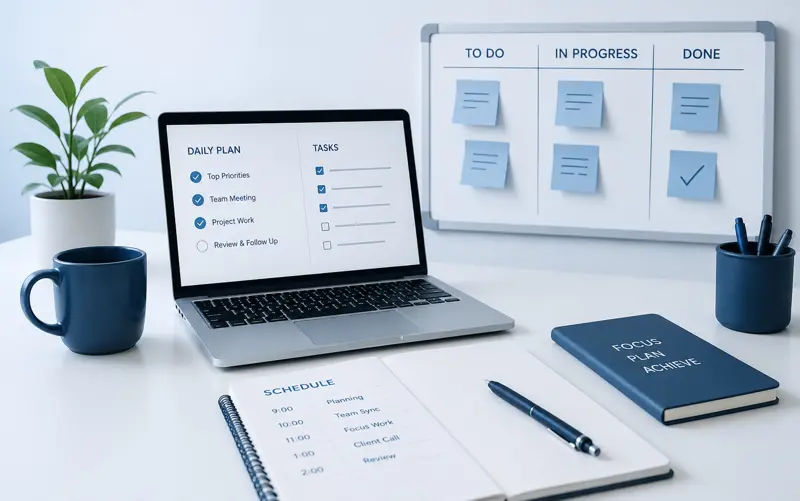
How to Organize an Employee's Workday: A Complete Guide to Better Productivity, Time Management, and Team Efficiency
A well-organized workday is one of the biggest factors that separates highly productive organizations from those that constantly struggle with missed deadlines, employee stress, and inefficient processes. While many businesses invest in new technology, office equipment, or additional staff, they often overlook one of the simplest ways to improve performance: helping employees organize their daily work more effectively.
Every employee has the same twenty-four hours each day, yet some teams consistently accomplish more than others. The difference is rarely the number of hours worked. Instead, it comes from planning priorities, reducing distractions, managing workloads, and ensuring that employees spend their time on the activities that create the greatest value.
An organized workday improves far more than productivity. Employees experience less stress, managers gain better visibility into progress, customers receive faster responses, and projects are completed more consistently. Small improvements repeated every day can produce significant long-term benefits for both individuals and organizations.
Modern workplace management software supports this process by combining task management, project planning, calendars, employee scheduling, and collaboration into one centralized platform. Instead of switching between emails, spreadsheets, messaging applications, and paper notes, employees can organize their entire day from a single workspace.
This guide explains practical techniques that help employees organize their workday, prioritize important tasks, minimize interruptions, improve focus, and finish more meaningful work without increasing working hours.
Why Workday Organization Matters
An employee's daily schedule affects nearly every aspect of business performance. Poor organization creates delays, increases stress, and causes valuable time to be wasted on low-priority activities. Good organization creates clarity, consistency, and predictable results.
When employees begin each day without a clear plan, they often react to the loudest notification, the newest email, or the latest request instead of working on the activities that contribute most to organizational goals.
Well-organized employees understand:
- What must be completed today.
- Which tasks have the highest priority.
- Which deadlines are approaching.
- Who depends on their work.
- How much time is available.
- What can be postponed.
Having this clarity reduces decision fatigue and allows employees to spend more time completing work instead of deciding what to do next.
Common Reasons Employees Lose Time
Before improving daily organization, it is important to understand where time is typically lost.
Many organizations assume productivity problems are caused by employees working too slowly. In reality, inefficient processes and constant interruptions are often responsible for a much larger loss of productive time.
Common causes include:
- Constant email checking.
- Unplanned meetings.
- Frequent interruptions.
- Unclear priorities.
- Searching for documents.
- Task switching.
- Poor communication.
- Last-minute requests.
- Duplicated work.
- Lack of planning.
Individually these interruptions may appear small, but together they can consume several hours every week.
Start Planning Before the Workday Begins
One of the simplest productivity habits is preparing tomorrow's work before leaving the office today.
Instead of arriving each morning and deciding where to begin, employees already have a prioritized list of tasks waiting for them. This reduces wasted time and creates immediate momentum at the start of the day.
A simple end-of-day planning routine might include:
- Review completed work.
- Move unfinished tasks to tomorrow.
- Prioritize important activities.
- Schedule meetings.
- Prepare required documents.
- Identify potential obstacles.
This process usually requires less than ten minutes but saves considerably more time the following day.
Begin With the Highest-Priority Task
Many employees begin their morning by opening email or responding to chat messages. While communication is important, it often delays meaningful work.
Instead, identify the single most important task for the day and begin working on it before less important activities compete for attention.
Completing a high-value task early creates momentum and significantly increases the likelihood of achieving daily objectives.
Use Time Blocking
Time blocking is one of the most effective techniques for organizing a workday. Rather than working from an unlimited task list, employees reserve specific periods on their calendar for particular activities.
For example:
| Time | Activity |
|---|---|
| 08:30 – 10:00 | Project work |
| 10:00 – 10:30 | Email and messages |
| 10:30 – 12:00 | Customer tasks |
| 13:00 – 15:00 | Deep work |
| 15:00 – 16:00 | Meetings and planning |
Allocating time in advance reduces multitasking and encourages employees to focus on one type of work at a time.
Create a Daily Task List
An effective daily task list should contain only the work that can reasonably be completed during the available working hours.
Long, unrealistic lists often discourage employees because unfinished tasks are simply carried forward every day.
A practical daily task list should include:
- Three to five high-priority tasks.
- Several smaller activities.
- Scheduled meetings.
- Customer commitments.
- Time for unexpected work.
Keeping the list realistic improves motivation and increases the percentage of completed work.
Avoid Constant Multitasking
Many people believe multitasking improves productivity, but research and practical experience show that constantly switching between tasks reduces focus and increases the likelihood of mistakes.
Every interruption requires employees to rebuild concentration before they can continue productive work.
Whenever possible, complete one important activity before moving to the next. Grouping similar work together—such as answering emails, approving documents, or making customer calls—reduces the mental effort required to switch between different types of tasks.
Practical Example
Consider an HR specialist responsible for recruitment, onboarding, employee documentation, interviews, payroll preparation, and internal communication.
Without a structured plan, the specialist spends the day responding to emails, answering phone calls, and reacting to interruptions. Important recruitment activities are postponed until the afternoon, increasing stress and delaying hiring decisions.
After introducing daily planning and time blocking, mornings are reserved for candidate interviews and recruitment, late mornings for employee documentation, and afternoons for meetings and email communication. The result is fewer interruptions, faster hiring, and a more predictable workload.
If your organization also manages projects, read our guide Project Management: The Complete Guide .
To learn how to prioritize and organize daily work more effectively, continue with Task Management: The Complete Guide .
You may also find Time Management: The Complete Guide helpful for improving personal productivity and reducing unnecessary stress through better planning.
Managing Interruptions Throughout the Day
Interruptions are one of the biggest obstacles to productive work. Every email notification, instant message, phone call, or unexpected request forces employees to stop what they are doing and shift their attention elsewhere. Although each interruption may last only a few minutes, regaining full concentration often takes considerably longer.
Not every interruption can be avoided, especially in customer-facing roles. However, organizations can significantly reduce unnecessary disruptions by establishing clear communication practices and encouraging employees to protect periods of focused work.
Some practical strategies include:
- Disabling unnecessary desktop notifications.
- Checking email at scheduled times instead of continuously.
- Using collaboration software instead of long email chains.
- Grouping similar questions into one discussion.
- Setting "focus time" on shared calendars.
- Avoiding unnecessary meetings during peak productivity hours.
Reducing interruptions allows employees to complete complex tasks faster while maintaining higher quality.
Organize Email Efficiently
Many employees begin every morning by opening their inbox and spending the first hour responding to messages. While communication is important, treating every email as urgent often prevents meaningful work from getting started.
Instead of checking email continuously, establish dedicated periods during the day. For example, review email at the beginning of the morning, after lunch, and before leaving work.
This approach reduces constant context switching and helps employees remain focused on their planned priorities.
Useful habits include:
- Archive completed conversations.
- Use folders or labels for organization.
- Reply immediately to messages requiring less than two minutes.
- Convert important emails into tasks.
- Delete unnecessary messages.
Conduct Better Meetings
Meetings should support productive work rather than interrupt it. Unfortunately, many organizations spend a significant portion of the workday in meetings that lack a clear purpose or outcome.
Every meeting should answer three simple questions:
- Why is this meeting necessary?
- Who actually needs to attend?
- What decision should be made?
Whenever possible:
- Prepare an agenda in advance.
- Invite only essential participants.
- Start and finish on time.
- Assign action items before the meeting ends.
- Record decisions for future reference.
Short, well-structured meetings often produce better results than lengthy discussions without clear objectives.
Plan Breaks Throughout the Day
Continuous work without breaks rarely improves productivity. Mental fatigue gradually reduces concentration, increases mistakes, and makes even simple tasks more difficult.
Short breaks allow employees to recover their attention and return to work with greater focus.
Examples include:
- A five-minute walk.
- Stretching exercises.
- Drinking water.
- Brief conversations with colleagues.
- Stepping away from the computer.
Regular breaks support long-term productivity far better than working for several uninterrupted hours.
Reserve Time for Deep Work
Deep work refers to periods of uninterrupted concentration devoted to demanding tasks that require creativity, analysis, or problem solving.
Software development, financial analysis, engineering design, report writing, and strategic planning all benefit from dedicated focus sessions.
Managers should encourage employees to reserve one or two uninterrupted blocks each day for this type of work.
During these periods employees should avoid:
- Email.
- Chat applications.
- Phone calls.
- Unscheduled meetings.
- Social media.
Even one ninety-minute deep work session each day can significantly increase output for knowledge workers.
Use Digital Task Management Software
Paper notes and spreadsheets become increasingly difficult to manage as teams grow. Modern task management software centralizes daily work, making it easier for employees to understand priorities and collaborate with colleagues.
A centralized task management system allows employees to:
- View assigned tasks.
- Track deadlines.
- Update progress.
- Attach documents.
- Communicate within tasks.
- Receive automatic reminders.
Managers benefit from improved visibility into workloads and project progress without requesting constant status updates.
Visualize Work with Kanban Boards
Kanban boards help employees organize work visually by moving tasks through different stages such as To Do, In Progress, Review, and Completed.
Instead of maintaining long text lists, employees immediately see which tasks require attention and which activities are waiting for review or approval.
This visual approach improves workflow while reducing the chance that important tasks are forgotten.
Use Shared Calendars
Shared calendars improve coordination between employees, departments, and project teams.
A centralized calendar can display:
- Meetings.
- Deadlines.
- Vacation schedules.
- Training sessions.
- Project milestones.
- Customer appointments.
When everyone has access to the same schedule, planning becomes easier and scheduling conflicts become less common.
Balance Daily Workloads
Some employees consistently receive more work than they can reasonably complete while others have available capacity. Without visibility into workloads, managers may unintentionally overload high-performing employees.
Regular workload reviews help distribute work more fairly while reducing burnout and improving project delivery.
Modern workload dashboards make it easy to identify employees who need additional support or who are available to assist colleagues.
Practical Example: Software Development Team
A development team begins every morning with a short planning meeting. Each developer reviews assigned tasks, updates progress, and identifies potential obstacles.
Most coding work is scheduled during uninterrupted morning focus sessions, while meetings, code reviews, and customer discussions take place during the afternoon. This structure minimizes interruptions and improves development quality.
Practical Example: Marketing Agency
A marketing agency manages dozens of campaigns simultaneously. Designers, writers, SEO specialists, and advertising managers all work on different deliverables.
Using shared task boards and calendars, every team member knows which campaigns have the highest priority, which deadlines are approaching, and who is responsible for each activity.
Practical Example: Construction Company
Construction supervisors coordinate engineers, subcontractors, equipment, and material deliveries every day.
Daily planning meetings, shared schedules, and clearly assigned responsibilities help prevent delays while ensuring that teams arrive on-site with the necessary resources available.
Connecting Daily Organization with Project Management
An organized workday becomes even more valuable when daily tasks are connected to larger business objectives. Employees should understand not only what they need to do today but also how their work contributes to project success.
Organizations that integrate daily planning with project management software gain complete visibility into tasks, schedules, workloads, deadlines, and team performance.
To improve long-term planning, read Project Planning Step by Step .
If you manage multiple employees, continue with Employee Scheduling: The Complete Guide .
You may also find Workload Management: The Complete Guide helpful for balancing employee capacity and preventing overload across your organization.
Best Practices for Organizing an Employee's Workday
Building an organized workday is not about following rigid rules or filling every minute of the calendar. The objective is to create a sustainable routine that helps employees complete meaningful work while maintaining flexibility for unexpected situations.
Organizations that consistently improve productivity usually rely on a set of simple but effective daily habits.
- Plan tomorrow before finishing today.
- Start the day with the highest-priority task.
- Use a realistic daily task list.
- Group similar activities together.
- Reserve time for focused work.
- Schedule meetings carefully.
- Check email only at planned times.
- Use a shared team calendar.
- Keep task priorities updated.
- Review progress throughout the day.
- Leave buffer time for urgent requests.
- Take regular short breaks.
- Record completed work.
- Communicate blockers early.
- Review unfinished tasks before leaving work.
Common Mistakes That Reduce Productivity
Many productivity problems are caused by habits rather than a lack of effort. Recognizing these mistakes allows employees and managers to improve daily performance without working longer hours.
- Starting the day without a plan.
- Trying to multitask continuously.
- Accepting every meeting invitation.
- Checking email every few minutes.
- Ignoring task priorities.
- Keeping unrealistic daily task lists.
- Working without breaks.
- Postponing difficult tasks.
- Failing to update task status.
- Waiting too long to report problems.
- Keeping information in personal notes instead of shared systems.
- Overloading high-performing employees.
- Ignoring workload balance across the team.
- Leaving planning until the last minute.
- Not reviewing completed work.
Avoiding these mistakes creates a more predictable workday and helps teams deliver consistent results.
How Managers Can Support Better Daily Organization
Employees are more likely to stay organized when managers provide clear expectations, realistic workloads, and the right tools. Effective managers focus on removing obstacles rather than creating additional administrative tasks.
Managers can improve team organization by:
- Defining clear priorities.
- Assigning responsibilities early.
- Reviewing workloads regularly.
- Reducing unnecessary meetings.
- Encouraging focused work periods.
- Providing modern planning software.
- Monitoring project progress instead of micromanaging employees.
- Recognizing completed work.
Daily Workday Checklist
A simple checklist helps employees develop consistent work habits while ensuring important activities are not overlooked.
- Review today's priorities.
- Confirm scheduled meetings.
- Check project deadlines.
- Review assigned tasks.
- Complete the highest-priority task first.
- Update task progress.
- Respond to important customer requests.
- Record completed work.
- Schedule time for focused work.
- Take short breaks.
- Communicate delays immediately.
- Review workload before accepting new tasks.
- Prepare documents for tomorrow.
- Update the team if priorities changed.
- Move unfinished work to the next schedule.
- Plan tomorrow before ending the day.
Frequently Asked Questions
Why is organizing the workday important?
A well-organized workday improves productivity, reduces stress, minimizes missed deadlines, and helps employees focus on high-value activities.
What is the best way to start the workday?
Review your priorities and begin with the most important task before checking emails or attending meetings whenever possible.
How many tasks should I plan for one day?
Most professionals are more productive when they focus on three to five important tasks along with several smaller activities that fit within the available working hours.
Should every hour be scheduled?
No. Leaving buffer time for unexpected requests, customer questions, and urgent issues creates a more realistic schedule.
How often should task priorities be reviewed?
Priorities should be reviewed daily and updated whenever project requirements or business objectives change.
How can managers reduce employee overload?
Managers should regularly review workloads, redistribute work when necessary, and monitor employee capacity instead of assigning tasks based only on availability.
Which tools help organize daily work?
Task management software, shared calendars, Kanban boards, Gantt charts, employee scheduling tools, and workload management systems all contribute to better daily organization.
Can better workday organization improve project delivery?
Yes. When employees consistently complete the right tasks at the right time, projects progress more smoothly and deadlines become easier to achieve.
Related Articles
- Project Management: The Complete Guide
- Task Management: The Complete Guide
- Project Planning Step by Step
- Gantt Chart: The Complete Guide
- Kanban Board: The Complete Guide
- Time Management: The Complete Guide
- Workload Management: The Complete Guide
- Resource Management: The Complete Guide
- How to Track Project Progress Effectively
- How to Reduce Project Delays
- Employee Time Tracking: The Complete Guide
- Employee Scheduling: The Complete Guide
Final Thoughts
Organizing an employee's workday is not about making people work longer—it is about helping them work smarter. Clear priorities, structured schedules, effective communication, and realistic workloads enable employees to focus on the activities that contribute the most value to the organization.
When daily planning becomes a consistent habit, businesses experience higher productivity, improved collaboration, fewer missed deadlines, and better use of available resources. Managers also gain greater visibility into team progress, making it easier to identify potential issues before they affect project delivery.
MyPlannerDesk helps organizations organize every employee's workday by combining Task Management, Project Management, Shared Calendars, Employee Scheduling, Time Tracking, Kanban Boards, Gantt Charts, Workload Management, Resource Planning, and Reporting into one integrated platform. Employees always know what they need to do next, while managers can monitor progress, balance workloads, and coordinate teams from a single dashboard.
Whether your business manages office employees, remote teams, field workers, or cross-functional project groups, building a structured daily work routine with the right planning tools leads to better productivity, improved collaboration, and more successful project outcomes.